Buy 0l.eu ?
We are moving the project
0l.eu .
Are you interested in purchasing the domain
0l.eu ?
domain@kv-gmbh.de · 0541-91531010
Buy 0l.eu ?
Is my user account user-friendly?
To determine if your user account is user-friendly, consider factors such as ease of navigation, clear instructions, and accessibility features. Evaluate if users can easily find the information they need, if the interface is intuitive, and if there are options for customization. Conduct user testing to gather feedback on the account's usability and make improvements based on the results. Overall, a user-friendly account should prioritize the user experience and make it simple for users to accomplish their tasks efficiently. **
Should one learn grammar or vocabulary first when learning Japanese?
When learning Japanese, it is generally recommended to start with vocabulary before diving into grammar. Building a strong vocabulary base will help you understand and communicate better in the language. Once you have a good grasp of basic vocabulary, you can then focus on learning grammar rules to structure your sentences correctly. Ultimately, a balance of both vocabulary and grammar is essential for mastering Japanese. **


Similar search terms for User
Top-Angebote
Products related to User:
-
Microsoft Windows Server 2025 RDS CAL (Client Access Licence per User or Device)Boost your IT infrastructure with CAL licences for Remote Desktop Services (RDS) of Windows Server 2025. Unlock the full potential of your server operating system with client access licences (CALs) for Microsoft Windows Server 2025 RDS. These licences are essential for businesses that want to offer their employees secure, flexible and centralised remote access to virtual desktops, applications and corporate resources, wherever they are and from any device. With Windows Server 2025, you benefit from the latest innovations in security, performance and user experience, ensuring a stable and secure remote working environment. What is an RDS CAL? An RDS CAL (Remote Desktop Services Client Access Licence) is a licence that grants a user or device the right to connect to the remote desktop services of your Windows Server 2025. Attention: This is not a licence for the server operating system, but an additional access authorisation. Choose the Right Licence for You: CAL User vs. CAL Device At softastrd, we offer you the flexibility to choose the right licence for your organisation's needs: RDS User CAL (User Licence): Ideal for: Employees who need to access the company network from multiple devices (e.g. office PC, home laptop, tablet, smartphone). How it works: It licences a single user, allowing them to access RDS services from an unlimited number of devices. Maximum flexibility for the mobile workforce. RDS Device CAL (Device Licence): Ideal for: Workstations shared by several people, such as in shift environments, kiosks, computer rooms or service centres. How it works: It licences a single device, allowing an unlimited number of users to access RDS services from that specific terminal. Great for optimising costs in sharing scenarios. Key benefits of Windows Server 2025 RDS: Secure Remote Access: Provide secure access to corporate data and applications, keeping sensitive information safe within your data centre. Centralised Management: It simplifies the deployment and maintenance of applications by installing them once on the server, instead of on each individual client. Flexibility and Productivity: Allow your teams to work productively from home, on the road or from remote branches, with a smooth and responsive user experience. Cost Optimisation: Reduce hardware and running costs by extending the life of older PCs and simplifying technical support. Why buy on softastrd? Original 100% Licences: We only provide authentic and guaranteed Microsoft licence codes. Immediate Digital Delivery: Receive your licence by email immediately after purchase, 24/7. Customer Support in Italian: Our team of experts is at your disposal to help you before and after your purchase. Competitive prices: We offer the best software solutions at favourable prices and secure payments. Important Note: To use these licences, you must have an installation of Microsoft Windows Server 2025 already active and licensed. RDS 2025 CALs are only compatible with the 2025 version of the...34,98 £*Shipping: 0,00 £Secure redirect to the provider
-
Mulac Cosmetics 3D Verse liquid blusher with matt effect shade 15 User 5 mlMulac Cosmetics 3D Verse, 5 ml, Blushers for Women, Do you want to give your face a healthy, fresh appearance? The Mulac Cosmetics 3D Verse blusher is here to help. It envelops your cheeks in a soft hint of colour similar to the natural blushing process. But it’s also useful for highlighting features and visually altering the shape of your face, for example when you want your cheeks to appear lifted. Just apply a few layers with a brush or sponge and your cheeks will get a refreshed appearance to enhance any makeup style. Characteristics: creates a naturally blushing look gives your face a healthy colour matte effect has a pleasantly soft, lightweight texture can be layered for a more intense look easy to use How to use: Apply using the applicator built into the lid. Can be applied to the cheeks, eyelids and lips.10,60 £*Shipping: 3,99 £Secure redirect to the provider
-
Youfap Market Smart Keypad Door Lock With Fingerprint Entry, 20 Touch Locking And 20 User Codes For Easy Installation Smart Keypad Door Lock With Fingerprint Entry, 20 Touch Locking And 20 User Codes For Easy InstallationSecure your home with the Smart Keypad Door Lock, a sleek and innovative solution designed to bring convenience and security to your doorstep. This modern deadbolt features fingerprint entry, 20 touch locking codes, and 20 programmable user codes,...79,97 $*Shipping: 0,00 $Secure redirect to the provider
-
HomeDecorAndMore LLC Transform Your Space Stardust Essential Oil Diffuser, Handmade Glass, 3D Light Effects, BPA Free And User Friendly Transform Your Space Stardust Essential Oil Diffuser, Handmade Glass, 3D Light Effects, BPA Free And User FriendlyElevate your home's ambiance with the Stardust Essential Oil Diffuser, a uniquely crafted aromatherapy device that combines style, functionality, and the therapeutic power of essential oils. This diffuser is not just a wellness tool but a piece of...97,97 $*Shipping: 0,00 $Secure redirect to the provider


-
Are you a Galaxy user or an iPhone user?
As an AI, I do not have personal preferences or the ability to use devices like Galaxy or iPhone. My purpose is to assist and provide information to users regardless of the device they use. **
-
How can I switch my user to the main user?
To switch your user to the main user on a device, you can typically do so by accessing the settings or user accounts section of the device. Look for an option to switch users or set a default user. Select the main user profile and make it the default user. This will ensure that the main user is the one that is logged in and active whenever the device is turned on or unlocked. **
-
Why can every user access all user files in Linux?
In Linux, every user can access all user files because of the default file permissions set by the operating system. By default, files and directories are created with read and execute permissions for all users on the system. This means that any user can navigate through the directory structure and access files within other users' directories. However, users cannot modify or delete files in other users' directories unless they have been granted specific permissions by the owner of the files. This default behavior can be modified by the system administrator using file permissions and access control lists to restrict or grant access to specific users or groups. **
-
Which vocabulary learning app?
There are several popular vocabulary learning apps available, each with its own unique features and benefits. Some popular options include Duolingo, Quizlet, and Memrise. Duolingo offers a wide range of languages and uses gamified lessons to make learning fun. Quizlet allows users to create their own study sets and offers a variety of study modes. Memrise focuses on using mnemonic devices and real-life videos to help users remember vocabulary. Ultimately, the best app for you will depend on your learning style and the specific features you are looking for. **

What are some good books for learning French, especially for grammar and vocabulary?
Some good books for learning French grammar and vocabulary include "Practice Makes Perfect: Complete French Grammar" by Annie Heminway, "Easy French Step-by-Step" by Myrna Bell Rochester, and "Vocabulary Builder: French" by Harriette Lanzer. These books provide comprehensive explanations of grammar rules and offer plenty of exercises to practice and reinforce your understanding. Additionally, "501 French Verbs" by Christopher Kendris is a valuable resource for learning and mastering French verb conjugations. **
What does the user profile of a Seat user look like?
The user profile of a Seat user is likely to be someone who values style, design, and modern technology in their vehicle. They may be attracted to Seat's sleek and sporty designs, as well as their focus on innovative features and connectivity. Seat users may also prioritize fuel efficiency and environmental sustainability, as the brand offers a range of eco-friendly options. Overall, a Seat user is likely to be someone who appreciates a balance of style, technology, and practicality in their vehicle choice. **
Top-Angebote
Products related to User:
-
Collins Easy Learning Spanish Grammar And Practice: Trusted Support For Learning - Non FictionTitle:. Easy Learning Spanish Grammar and Practice Overview:. Master the essential foundations of Spanish with Easy Learning Spanish Grammar and Practice, a comprehensive non-fiction guide engineered to demystify complex grammar rules while building genuine, usable confidence through targeted exercises. This trusted resource moves well beyond passive reading, offering a structured, interactive pathway for learners to understand the mechanics of the language and immediately apply that knowledge. Ideal for individuals navigating the early stages of language acquisition or solidifying intermediate skills, the book functions as a versatile companion that adapts to varied learning styles and paces. By pairing clear, jargon-free explanations with practical application tasks, it ensures that every grammatical concept transforms into functional competence. The content covers critical areas such as verb conjugations, sentence syntax, noun agreement, and descriptive structures, presenting them in a logical sequence that reinforces memory retention. Readers benefit from a design that prioritises clarity over complexity, stripping away intimidating linguistic terminology in favour of straightforward insights that get straight to the point. As a standalone volume, it provides everything needed to tackle the challenges of Spanish grammar independently, making it a highly efficient choice for self-motivated students seeking reliable support for their studies. What Makes This Book Stand Out:. The standout feature of Easy Learning Spanish Grammar and Practice is its relentless integration of the "practice" promise directly into the learning flow. Unlike reference manuals that relegate exercises to the back, this book embeds practice questions seamlessly alongside explanations, allowing readers to test their understanding instantly and receive immediate feedback within the context of each topic. This active recall methodology significantly enhances long-term retention compared to traditional review habits. Furthermore, the book employs an effective scaffolding approach; new rules are introduced only after core principles are secure, preventing cognitive overload and ensuring a steady buildup of competence. The layout further distinguishes itself through high readability standards, featuring generous spacing, helpful navigation aids, and a presentation that respects the learner's time. The text also shines in its ability to contextualise grammar, showing how abstract rules translate into real-world communication, thereby bridging the gap between academic theory and spoken fluency. This balanced focus on both mechanical accuracy and communicative utility gives the book exceptional versatility. It serves equally well as a primary study textbook, a rapid-reference guide for assignment preparation, and a durable portfolio piece that grows more valuable with every chapter reviewed. Who This Book Is Perfect For:. Easy Learning Spanish Grammar and Practice caters to a...12,99 £*Shipping: 2,99 £Secure redirect to the provider
-
Adobe Photoshop Elements 2025 (PC/Mac) - 3-Year Licence (1 User)🖌️ Adobe Photoshop Elements 2025 (PC/Mac) - 3-Year Licence (1 User) Discover the new Adobe Photoshop Elements 2025 , the updated version of the renowned photo-editing software, now even smarter, faster and more versatile. Ideal for anyone who wants to create images and creative projects with professional-looking results, even without any experience. 🌟 Main features: 🧠 Enhanced Adobe Sensei AI: It automatically adjusts light, colour and detail, and creates creative effects with a single click. ✂️ Step-by-step guide: Over 65 step-by-step tutorials to help you improve your photos in a simple and fun way. 🎨 Creative effects and filters: Apply artistic styles, frames and textures to give your images a unique touch. 📷 Support for PC and Mac: Work freely on your favourite system. 🗂️ Automatic organisation: Easily find photos by face, subject, date or location. 📸 New AI features for 2025: improved tools for removing objects, changing backgrounds and creating artistic compositions. 💻 Licence valid for 3 years: For 1 user, with no monthly fees or recurring subscriptions. 📦 Product content: Original activation key (1 user, 3 years) Installation and activation guide Compatible with Windows and macOS Create, enhance and share your photos with Adobe Photoshop Elements 2025 – the perfect choice for anyone looking for simplicity and power in a single piece of software.246,31 £*Shipping: 0,00 £Secure redirect to the provider
-
Microsoft Windows Server 2025 RDS CAL (Client Access Licence per User or Device)Boost your IT infrastructure with CAL licences for Remote Desktop Services (RDS) of Windows Server 2025. Unlock the full potential of your server operating system with client access licences (CALs) for Microsoft Windows Server 2025 RDS. These licences are essential for businesses that want to offer their employees secure, flexible and centralised remote access to virtual desktops, applications and corporate resources, wherever they are and from any device. With Windows Server 2025, you benefit from the latest innovations in security, performance and user experience, ensuring a stable and secure remote working environment. What is an RDS CAL? An RDS CAL (Remote Desktop Services Client Access Licence) is a licence that grants a user or device the right to connect to the remote desktop services of your Windows Server 2025. Attention: This is not a licence for the server operating system, but an additional access authorisation. Choose the Right Licence for You: CAL User vs. CAL Device At softastrd, we offer you the flexibility to choose the right licence for your organisation's needs: RDS User CAL (User Licence): Ideal for: Employees who need to access the company network from multiple devices (e.g. office PC, home laptop, tablet, smartphone). How it works: It licences a single user, allowing them to access RDS services from an unlimited number of devices. Maximum flexibility for the mobile workforce. RDS Device CAL (Device Licence): Ideal for: Workstations shared by several people, such as in shift environments, kiosks, computer rooms or service centres. How it works: It licences a single device, allowing an unlimited number of users to access RDS services from that specific terminal. Great for optimising costs in sharing scenarios. Key benefits of Windows Server 2025 RDS: Secure Remote Access: Provide secure access to corporate data and applications, keeping sensitive information safe within your data centre. Centralised Management: It simplifies the deployment and maintenance of applications by installing them once on the server, instead of on each individual client. Flexibility and Productivity: Allow your teams to work productively from home, on the road or from remote branches, with a smooth and responsive user experience. Cost Optimisation: Reduce hardware and running costs by extending the life of older PCs and simplifying technical support. Why buy on softastrd? Original 100% Licences: We only provide authentic and guaranteed Microsoft licence codes. Immediate Digital Delivery: Receive your licence by email immediately after purchase, 24/7. Customer Support in Italian: Our team of experts is at your disposal to help you before and after your purchase. Competitive prices: We offer the best software solutions at favourable prices and secure payments. Important Note: To use these licences, you must have an installation of Microsoft Windows Server 2025 already active and licensed. RDS 2025 CALs are only compatible with the 2025 version of the...34,98 £*Shipping: 0,00 £Secure redirect to the provider
-
Mulac Cosmetics 3D Verse liquid blusher with matt effect shade 15 User 5 mlMulac Cosmetics 3D Verse, 5 ml, Blushers for Women, Do you want to give your face a healthy, fresh appearance? The Mulac Cosmetics 3D Verse blusher is here to help. It envelops your cheeks in a soft hint of colour similar to the natural blushing process. But it’s also useful for highlighting features and visually altering the shape of your face, for example when you want your cheeks to appear lifted. Just apply a few layers with a brush or sponge and your cheeks will get a refreshed appearance to enhance any makeup style. Characteristics: creates a naturally blushing look gives your face a healthy colour matte effect has a pleasantly soft, lightweight texture can be layered for a more intense look easy to use How to use: Apply using the applicator built into the lid. Can be applied to the cheeks, eyelids and lips.10,60 £*Shipping: 3,99 £Secure redirect to the provider
-
Is my user account user-friendly?
To determine if your user account is user-friendly, consider factors such as ease of navigation, clear instructions, and accessibility features. Evaluate if users can easily find the information they need, if the interface is intuitive, and if there are options for customization. Conduct user testing to gather feedback on the account's usability and make improvements based on the results. Overall, a user-friendly account should prioritize the user experience and make it simple for users to accomplish their tasks efficiently. **
-
Should one learn grammar or vocabulary first when learning Japanese?
When learning Japanese, it is generally recommended to start with vocabulary before diving into grammar. Building a strong vocabulary base will help you understand and communicate better in the language. Once you have a good grasp of basic vocabulary, you can then focus on learning grammar rules to structure your sentences correctly. Ultimately, a balance of both vocabulary and grammar is essential for mastering Japanese. **
-
Are you a Galaxy user or an iPhone user?
As an AI, I do not have personal preferences or the ability to use devices like Galaxy or iPhone. My purpose is to assist and provide information to users regardless of the device they use. **
-
How can I switch my user to the main user?
To switch your user to the main user on a device, you can typically do so by accessing the settings or user accounts section of the device. Look for an option to switch users or set a default user. Select the main user profile and make it the default user. This will ensure that the main user is the one that is logged in and active whenever the device is turned on or unlocked. **
Similar search terms for User
-
Youfap Market Smart Keypad Door Lock With Fingerprint Entry, 20 Touch Locking And 20 User Codes For Easy Installation Smart Keypad Door Lock With Fingerprint Entry, 20 Touch Locking And 20 User Codes For Easy InstallationSecure your home with the Smart Keypad Door Lock, a sleek and innovative solution designed to bring convenience and security to your doorstep. This modern deadbolt features fingerprint entry, 20 touch locking codes, and 20 programmable user codes,...79,97 $*Shipping: 0,00 $Secure redirect to the provider
-
HomeDecorAndMore LLC Transform Your Space Stardust Essential Oil Diffuser, Handmade Glass, 3D Light Effects, BPA Free And User Friendly Transform Your Space Stardust Essential Oil Diffuser, Handmade Glass, 3D Light Effects, BPA Free And User FriendlyElevate your home's ambiance with the Stardust Essential Oil Diffuser, a uniquely crafted aromatherapy device that combines style, functionality, and the therapeutic power of essential oils. This diffuser is not just a wellness tool but a piece of...97,97 $*Shipping: 0,00 $Secure redirect to the provider
-
Spelling and Vocabulary practice activities for children ages 6-7 (Year 2). Perfect for Home Learning.: (Scholastic English Skills)Master spelling and vocabulary and build English skills This workbook supports children to develop their spelling and vocabulary skills through fun and engaging activities which will help motivate your child's learning and confidence. A progress chart is also included for children to colour in as chapters are completed, and an introduction chapter on how to use the book. Content is split into: Back to basics; New spellins work: consonants; Focus on vowel sound; Super suffixes; More suffixes; Homophones and tricky words; and Spelling words with apostrophes. Help children feel prepared, capable and ready to tackle new challenges at school. Use at home or in school. Quickly builds confidence through regular, achievable activities that encourage independent learning. Designed to complement the school curriculum, meaning children work at the right level, so nothing feels too hard or too easy. Includes extra notes and tips to reinforce skills.4,99 £*Shipping: 1,99 £Secure redirect to the provider
-
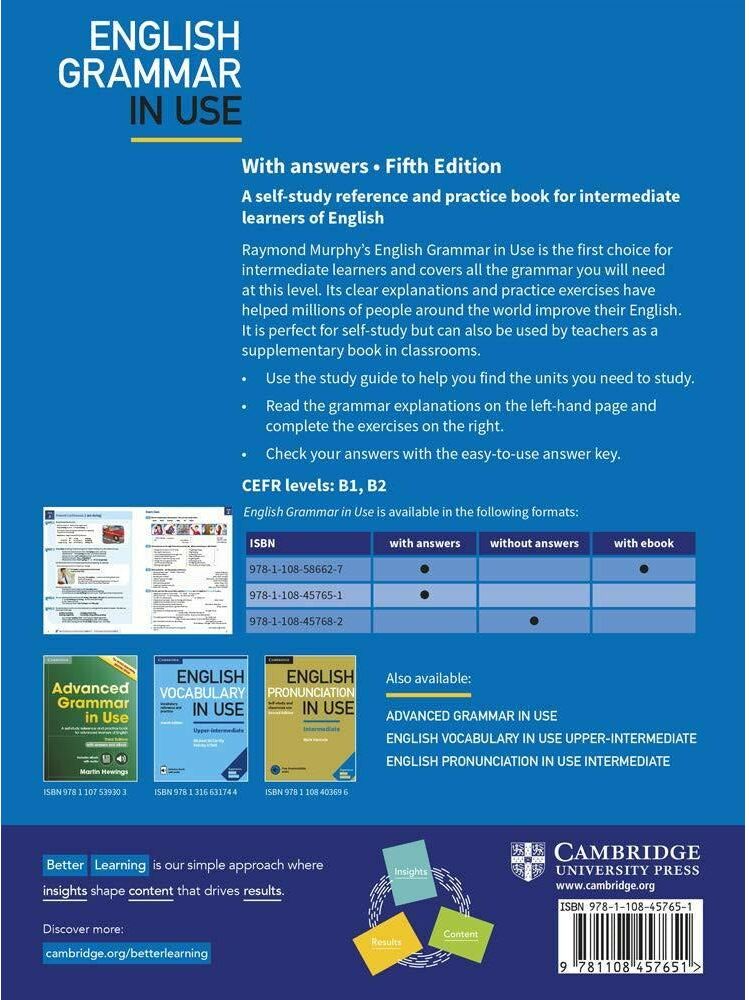
Cambridge University Press English Grammar in Use with Answers by Raymond Murphy – Self-Study Grammar Book for Intermediate LearnersEnglish Grammar in Use with Answers; authored by Raymond Murphy; is the first choice for intermediate (B1-B2) learners and covers all the grammar required at this level. It is a self-study book with simple explanations and lots of practice exercises; and has helped millions of people around the world to communicate in English. It is also trusted by teachers and can be used as a supplementary text in classrooms.12,49 £*Shipping: 2,99 £Secure redirect to the provider
-
Why can every user access all user files in Linux?
In Linux, every user can access all user files because of the default file permissions set by the operating system. By default, files and directories are created with read and execute permissions for all users on the system. This means that any user can navigate through the directory structure and access files within other users' directories. However, users cannot modify or delete files in other users' directories unless they have been granted specific permissions by the owner of the files. This default behavior can be modified by the system administrator using file permissions and access control lists to restrict or grant access to specific users or groups. **
-
Which vocabulary learning app?
There are several popular vocabulary learning apps available, each with its own unique features and benefits. Some popular options include Duolingo, Quizlet, and Memrise. Duolingo offers a wide range of languages and uses gamified lessons to make learning fun. Quizlet allows users to create their own study sets and offers a variety of study modes. Memrise focuses on using mnemonic devices and real-life videos to help users remember vocabulary. Ultimately, the best app for you will depend on your learning style and the specific features you are looking for. **
-
What are some good books for learning French, especially for grammar and vocabulary?
Some good books for learning French grammar and vocabulary include "Practice Makes Perfect: Complete French Grammar" by Annie Heminway, "Easy French Step-by-Step" by Myrna Bell Rochester, and "Vocabulary Builder: French" by Harriette Lanzer. These books provide comprehensive explanations of grammar rules and offer plenty of exercises to practice and reinforce your understanding. Additionally, "501 French Verbs" by Christopher Kendris is a valuable resource for learning and mastering French verb conjugations. **
-
What does the user profile of a Seat user look like?
The user profile of a Seat user is likely to be someone who values style, design, and modern technology in their vehicle. They may be attracted to Seat's sleek and sporty designs, as well as their focus on innovative features and connectivity. Seat users may also prioritize fuel efficiency and environmental sustainability, as the brand offers a range of eco-friendly options. Overall, a Seat user is likely to be someone who appreciates a balance of style, technology, and practicality in their vehicle choice. **
* All prices are inclusive of VAT and, if applicable, plus shipping costs. The offer information is based on the details provided by the respective shop and is updated through automated processes. Real-time updates do not occur, so deviations can occur in individual cases. ** Note: Parts of this content were created by AI.