Buy 0l.eu ?
We are moving the project
0l.eu .
Are you interested in purchasing the domain
0l.eu ?
domain@kv-gmbh.de · 0541-91531010
Buy 0l.eu ?
Can SQL be used to query NoSQL databases, and what query language do these databases use?
Yes, SQL can be used to query some NoSQL databases, such as Apache Cassandra and Apache Drill. However, not all NoSQL databases support SQL queries. NoSQL databases typically use their own query languages, such as MongoDB's query language for MongoDB, and Cassandra Query Language (CQL) for Apache Cassandra. These query languages are designed to work with the specific data models and structures of each NoSQL database. **
What is the difference between an s-query and a search query?
An s-query is a type of query used in information retrieval systems that focuses on finding similar documents or items based on a specific input. It is used to retrieve items that are semantically related to the input. On the other hand, a search query is a more general term used to describe any query input into a search engine to retrieve relevant information. While an s-query is more specific and aims to find similar items, a search query can be used for a variety of purposes beyond just finding similar items. **


Similar search terms for Query
Top-Angebote
Products related to Query:
-
Gil Raviv Collect, Combine, and Transform Data Using Power Query in Excel and Power - Non Fiction - PaperbackTitle:. Collect, Combine, and Transform Data Using Power Query in Excel and Power (Business Skills) Condition: BRAND NEW. Format: Paperback Overview:. Power Query is a powerful, user-friendly data transformation tool built into Excel, Power BI, and other Microsoft products. In Collect, Combine, and Transform Data Using Power Query in Excel and Power, Gil Raviv guides readers from first steps to advanced techniques, showing how to import, reshape, and cleanse data with a simple, visual interface. This practical guide is designed for analysts, students, and Excel power users who want to turn messy, disparate datasets into clean, analysis-ready inputs. You’ll learn to connect to diverse data sources, remove duplicates, reshape tables, and automate repetitive preparation tasks so you can focus on extracting insights. The book walks you through several complete analytics challenges, each building on the last, culminating in a chapter-length final project that simulates a real-world data workflow. By the end, you’ll be equipped to wrangle any data and transform it into actionable knowledge, making Power Query your reliable companion for everyday data work. Prepare and analyze your data the easy way, with Power Query. What Makes This Book Stand Out:. Unlike generic guides, this book blends theory with hands-on practice using Excel and Power BI, anchored by real-world datasets and practical, step-by-step instructions. Raviv emphasizes a repeatable workflow: plan, connect, cleanse, shape, and load, then verify results to ensure accuracy. You’ll move through the full data-prep lifecycle—data sourcing, transformation, cleaning, and validation—before building reusable queries that save time on future projects. The highlight is a chapter-length final project that demonstrates end-to-end data storytelling, from raw inputs to dashboards and meaningful insights. Clear explanations, thoughtful pacing, and annotated visuals help you grasp concepts quickly, while tips address common stumbling blocks. The result is a resource that teaches Power Query and reinforces disciplined data analytics habits essential for data-driven business decisions. Who This Book Is Perfect For:. This paperback is ideal for business analysts, data professionals, and Excel or Power BI users who want to automate and streamline data preparation. It suits beginners and intermediate readers who value practical, actionable guidance and realistic scenarios. If you regularly import data from multiple sources, clean messy datasets, or present data-driven recommendations to stakeholders, this book will accelerate your learning and boost confidence. It’s also a strong resource for students and educators seeking a concrete, hands-on approach to data manipulation and business intelligence fundamentals. Fans of practical, example-driven analytics will treasure its clear, workshop-like structure. Key Highlights:. Hands-on, step-by-step Power Query workflows you can apply immediately. Real-world datasets...22,99 £*Shipping: 2,99 £Secure redirect to the provider
-
Spelling and Vocabulary practice activities for children ages 6-7 (Year 2). Perfect for Home Learning.: (Scholastic English Skills)Master spelling and vocabulary and build English skills This workbook supports children to develop their spelling and vocabulary skills through fun and engaging activities which will help motivate your child's learning and confidence. A progress chart is also included for children to colour in as chapters are completed, and an introduction chapter on how to use the book. Content is split into: Back to basics; New spellins work: consonants; Focus on vowel sound; Super suffixes; More suffixes; Homophones and tricky words; and Spelling words with apostrophes. Help children feel prepared, capable and ready to tackle new challenges at school. Use at home or in school. Quickly builds confidence through regular, achievable activities that encourage independent learning. Designed to complement the school curriculum, meaning children work at the right level, so nothing feels too hard or too easy. Includes extra notes and tips to reinforce skills.4,99 £*Shipping: 1,99 £Secure redirect to the provider
-
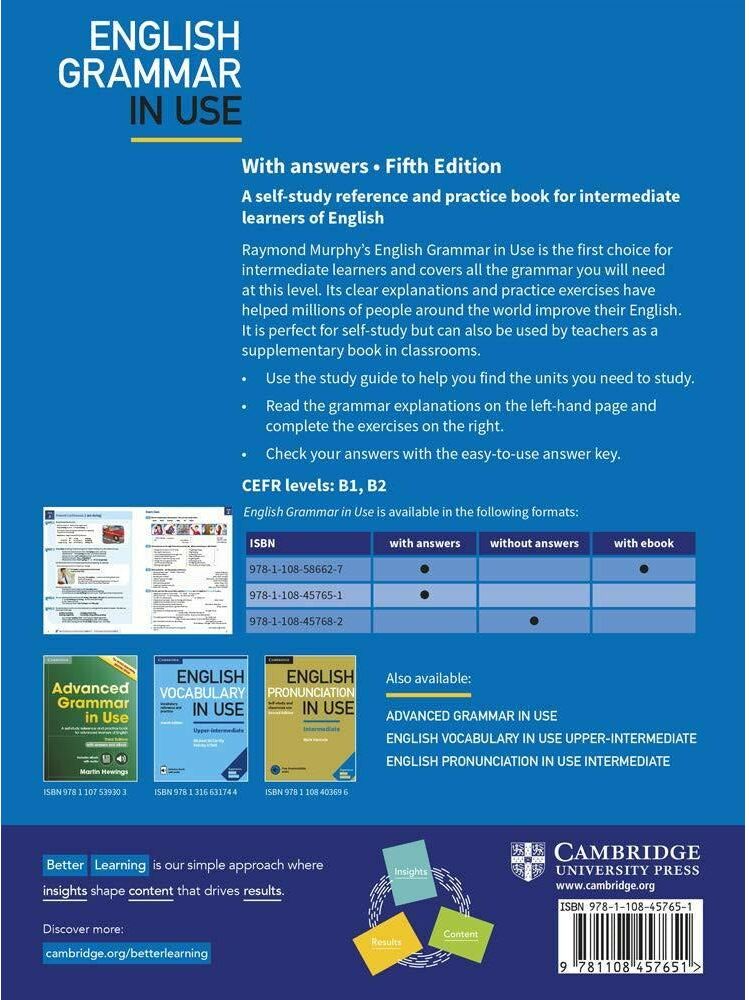
Cambridge University Press English Grammar in Use with Answers by Raymond Murphy – Self-Study Grammar Book for Intermediate LearnersEnglish Grammar in Use with Answers; authored by Raymond Murphy; is the first choice for intermediate (B1-B2) learners and covers all the grammar required at this level. It is a self-study book with simple explanations and lots of practice exercises; and has helped millions of people around the world to communicate in English. It is also trusted by teachers and can be used as a supplementary text in classrooms.12,49 £*Shipping: 2,99 £Secure redirect to the provider
-
Collins Easy Learning Grammar and Punctuation Ages 7-9: Prepare for school with easy home learningDescription. Title :. Grammar and Punctuation Ages 7-9: Prepare for school with easy home learning. Condition: BRAND NEW. Format: Paperback. ISBN: 9780008134228. Combining useful English practice with engaging, colourful illustrations, this Grammar and Punctuation practice book helps to boost your child’s confidence and develop good learning habits for life. Each fun activity is designed to give your child a real sense of achievement.Included in this book:questions that allow children to practise the important skills learned at schoolcolourful activities that make learning fun and motivate children to learn at home helpful tips and answers so that you can support your child’s learning. About the Author:. Colourful and engaging activity books really help children progress at every stage of their learning. With helpful questions and answers, this best-selling range provides reassurance whilst supporting learning at home. Combining useful practice with motivating activities, they help to boost confidence and give children a real sense of achievement.. Title. Grammar and Punctuation Ages 7-9: Prepare for school with easy home learning. Delivery. Content. Reviews3,99 £*Shipping: 2,99 £Secure redirect to the provider



-
How do I create a daily query within a weekly query in Excel?
To create a daily query within a weekly query in Excel, you can use Power Query to filter the data based on the date range you want to analyze. First, load your data into Power Query and create a new column to extract the day of the week from the date column. Then, filter the data based on the day of the week you want to focus on (e.g., Monday for weekly data). Finally, you can further filter the data based on the specific day within that week that you are interested in analyzing. This way, you can create a daily query within a weekly query in Excel. **
-
What is SQL query 2?
SQL query 2 is a structured query language statement used to retrieve data from a database. It typically includes keywords such as SELECT, FROM, WHERE, and ORDER BY to specify the data to be retrieved, the table from which to retrieve it, any conditions that must be met, and the order in which the data should be presented. SQL query 2 can be customized to filter, sort, and manipulate data according to specific requirements. **
-
What is the second query?
The second query is a request for information or data made to a database or search engine. It typically follows the first query and is used to further refine or specify the search criteria. The second query helps to narrow down the results and retrieve more relevant information based on the initial search. It is an important step in the search process to find the most accurate and useful results. **
-
What is a web query?
A web query is a request for information made by a user to a search engine or database through a web browser. It typically consists of keywords or phrases that the user wants to search for, and the search engine then retrieves relevant results based on those terms. Web queries are used to find specific information, websites, or resources on the internet. **


What is a WHOIS query?
A WHOIS query is a request for information about a domain name, including details about the domain's registration, ownership, and contact information. It is used to look up information about a particular domain name, such as when it was registered, who the owner is, and how to contact them. WHOIS queries are commonly used by individuals and organizations to gather information about domain names for various purposes, such as investigating potential trademark infringement, identifying the owner of a website, or resolving technical issues related to domain registration. **
How can I open an Access database as a Microsoft Query query in Excel?
To open an Access database as a Microsoft Query query in Excel, you can follow these steps: 1. In Excel, go to the Data tab and select "Get Data" > "From Database" > "From Microsoft Access Database." 2. Browse to the location of your Access database and select it. Then, choose the specific table or query you want to import into Excel. 3. Excel will then open the Microsoft Query window, where you can further customize the data import by adding criteria, sorting, or joining tables. 4. Once you have configured the query to your liking, click "OK" to import the data into Excel. You can then refresh the data in Excel whenever the Access database is updated. **
Top-Angebote
Products related to Query:
-
Ken Puls M Is For (Data) Monkey: Power Query Guide - Non Fiction - PaperbackTitle:. M Is for (Data) Monkey Condition: BRAND NEW. Format: Paperback Overview:. M Is for (Data) Monkey is the definitive beginner-to-intermediate guide to the M language behind Power Query, the data-cleaning engine at the heart of Excel and Power BI. This practical handbook shows you how to transform messy, disparate data into clean, reliable inputs ready for dashboards, models, and analytics. Written for analysts, Excel professionals, and BI practitioners, it breaks complex concepts into approachable, hands-on steps. You’ll learn how to connect to diverse data sources, shape and merge data with confidence, and craft reusable queries that power repeatable reporting pipelines. The book blends clear explanations with real-world examples, guiding you from simple transformations to advanced M techniques that automate repetitive tasks and reduce manual data wrangling. Whether you’re building a KPI dashboard, preparing a data model for Power Pivot, or delivering self-service analytics across a team, this paperback edition delivers practical skills you can apply immediately, boosting accuracy, speed, and confidence in every data project. The result is a more efficient workflow and data you can trust for decision-making. What Makes This Book Stand Out:. What sets M Is for (Data) Monkey apart is its laser focus on Power Query’s M language, with emphasis on tangible, repeatable results rather than abstract theory. The authors pair accessible prose with concrete, copy-ready examples that map directly to real business scenarios—from cleaning inconsistent date formats to harmonising columns across multiple sources. The step-by-step approach demystifies M code while still teaching readers to read and write M expressions, making complex data transformations feel approachable for busy professionals. The narrative bridges Excel’s familiar environment with the Power BI data model, showing how well-designed queries propagate through the entire analytics stack. For anyone aiming to speed up data preparation without sacrificing accuracy, this book becomes an indispensable practical reference. Who This Book Is Perfect For:. If you’re an Excel user expanding into BI or a data professional seeking a reliable anchor for Power Query, this book is for you. It targets readers who want to master the M language, improve data-cleaning workflows, and deliver cleaner inputs for Power Pivot and Power BI models. It’s ideal for analysts, data engineers in training, and team leads looking to standardise data transformation across projects. Beginners will appreciate the clear onboarding, while intermediate readers will value the practical, code-backed techniques that scale across datasets. This title also makes a thoughtful gift for colleagues stepping into data analytics, or for students preparing for real-world data challenges. Key Highlights:. Clear, hands-on guidance to the M language in Power Query. Step-by-step workflows that turn messy data into clean, usable inputs....99,99 £*Shipping: 0,00 £Secure redirect to the provider
-
Collins Easy Learning Spanish Grammar And Practice: Trusted Support For Learning - Non FictionTitle:. Easy Learning Spanish Grammar and Practice Overview:. Master the essential foundations of Spanish with Easy Learning Spanish Grammar and Practice, a comprehensive non-fiction guide engineered to demystify complex grammar rules while building genuine, usable confidence through targeted exercises. This trusted resource moves well beyond passive reading, offering a structured, interactive pathway for learners to understand the mechanics of the language and immediately apply that knowledge. Ideal for individuals navigating the early stages of language acquisition or solidifying intermediate skills, the book functions as a versatile companion that adapts to varied learning styles and paces. By pairing clear, jargon-free explanations with practical application tasks, it ensures that every grammatical concept transforms into functional competence. The content covers critical areas such as verb conjugations, sentence syntax, noun agreement, and descriptive structures, presenting them in a logical sequence that reinforces memory retention. Readers benefit from a design that prioritises clarity over complexity, stripping away intimidating linguistic terminology in favour of straightforward insights that get straight to the point. As a standalone volume, it provides everything needed to tackle the challenges of Spanish grammar independently, making it a highly efficient choice for self-motivated students seeking reliable support for their studies. What Makes This Book Stand Out:. The standout feature of Easy Learning Spanish Grammar and Practice is its relentless integration of the "practice" promise directly into the learning flow. Unlike reference manuals that relegate exercises to the back, this book embeds practice questions seamlessly alongside explanations, allowing readers to test their understanding instantly and receive immediate feedback within the context of each topic. This active recall methodology significantly enhances long-term retention compared to traditional review habits. Furthermore, the book employs an effective scaffolding approach; new rules are introduced only after core principles are secure, preventing cognitive overload and ensuring a steady buildup of competence. The layout further distinguishes itself through high readability standards, featuring generous spacing, helpful navigation aids, and a presentation that respects the learner's time. The text also shines in its ability to contextualise grammar, showing how abstract rules translate into real-world communication, thereby bridging the gap between academic theory and spoken fluency. This balanced focus on both mechanical accuracy and communicative utility gives the book exceptional versatility. It serves equally well as a primary study textbook, a rapid-reference guide for assignment preparation, and a durable portfolio piece that grows more valuable with every chapter reviewed. Who This Book Is Perfect For:. Easy Learning Spanish Grammar and Practice caters to a...12,99 £*Shipping: 2,99 £Secure redirect to the provider
-
Gil Raviv Collect, Combine, and Transform Data Using Power Query in Excel and Power - Non Fiction - PaperbackTitle:. Collect, Combine, and Transform Data Using Power Query in Excel and Power (Business Skills) Condition: BRAND NEW. Format: Paperback Overview:. Power Query is a powerful, user-friendly data transformation tool built into Excel, Power BI, and other Microsoft products. In Collect, Combine, and Transform Data Using Power Query in Excel and Power, Gil Raviv guides readers from first steps to advanced techniques, showing how to import, reshape, and cleanse data with a simple, visual interface. This practical guide is designed for analysts, students, and Excel power users who want to turn messy, disparate datasets into clean, analysis-ready inputs. You’ll learn to connect to diverse data sources, remove duplicates, reshape tables, and automate repetitive preparation tasks so you can focus on extracting insights. The book walks you through several complete analytics challenges, each building on the last, culminating in a chapter-length final project that simulates a real-world data workflow. By the end, you’ll be equipped to wrangle any data and transform it into actionable knowledge, making Power Query your reliable companion for everyday data work. Prepare and analyze your data the easy way, with Power Query. What Makes This Book Stand Out:. Unlike generic guides, this book blends theory with hands-on practice using Excel and Power BI, anchored by real-world datasets and practical, step-by-step instructions. Raviv emphasizes a repeatable workflow: plan, connect, cleanse, shape, and load, then verify results to ensure accuracy. You’ll move through the full data-prep lifecycle—data sourcing, transformation, cleaning, and validation—before building reusable queries that save time on future projects. The highlight is a chapter-length final project that demonstrates end-to-end data storytelling, from raw inputs to dashboards and meaningful insights. Clear explanations, thoughtful pacing, and annotated visuals help you grasp concepts quickly, while tips address common stumbling blocks. The result is a resource that teaches Power Query and reinforces disciplined data analytics habits essential for data-driven business decisions. Who This Book Is Perfect For:. This paperback is ideal for business analysts, data professionals, and Excel or Power BI users who want to automate and streamline data preparation. It suits beginners and intermediate readers who value practical, actionable guidance and realistic scenarios. If you regularly import data from multiple sources, clean messy datasets, or present data-driven recommendations to stakeholders, this book will accelerate your learning and boost confidence. It’s also a strong resource for students and educators seeking a concrete, hands-on approach to data manipulation and business intelligence fundamentals. Fans of practical, example-driven analytics will treasure its clear, workshop-like structure. Key Highlights:. Hands-on, step-by-step Power Query workflows you can apply immediately. Real-world datasets...22,99 £*Shipping: 2,99 £Secure redirect to the provider
-
Spelling and Vocabulary practice activities for children ages 6-7 (Year 2). Perfect for Home Learning.: (Scholastic English Skills)Master spelling and vocabulary and build English skills This workbook supports children to develop their spelling and vocabulary skills through fun and engaging activities which will help motivate your child's learning and confidence. A progress chart is also included for children to colour in as chapters are completed, and an introduction chapter on how to use the book. Content is split into: Back to basics; New spellins work: consonants; Focus on vowel sound; Super suffixes; More suffixes; Homophones and tricky words; and Spelling words with apostrophes. Help children feel prepared, capable and ready to tackle new challenges at school. Use at home or in school. Quickly builds confidence through regular, achievable activities that encourage independent learning. Designed to complement the school curriculum, meaning children work at the right level, so nothing feels too hard or too easy. Includes extra notes and tips to reinforce skills.4,99 £*Shipping: 1,99 £Secure redirect to the provider
-
Can SQL be used to query NoSQL databases, and what query language do these databases use?
Yes, SQL can be used to query some NoSQL databases, such as Apache Cassandra and Apache Drill. However, not all NoSQL databases support SQL queries. NoSQL databases typically use their own query languages, such as MongoDB's query language for MongoDB, and Cassandra Query Language (CQL) for Apache Cassandra. These query languages are designed to work with the specific data models and structures of each NoSQL database. **
-
What is the difference between an s-query and a search query?
An s-query is a type of query used in information retrieval systems that focuses on finding similar documents or items based on a specific input. It is used to retrieve items that are semantically related to the input. On the other hand, a search query is a more general term used to describe any query input into a search engine to retrieve relevant information. While an s-query is more specific and aims to find similar items, a search query can be used for a variety of purposes beyond just finding similar items. **
-
How do I create a daily query within a weekly query in Excel?
To create a daily query within a weekly query in Excel, you can use Power Query to filter the data based on the date range you want to analyze. First, load your data into Power Query and create a new column to extract the day of the week from the date column. Then, filter the data based on the day of the week you want to focus on (e.g., Monday for weekly data). Finally, you can further filter the data based on the specific day within that week that you are interested in analyzing. This way, you can create a daily query within a weekly query in Excel. **
-
What is SQL query 2?
SQL query 2 is a structured query language statement used to retrieve data from a database. It typically includes keywords such as SELECT, FROM, WHERE, and ORDER BY to specify the data to be retrieved, the table from which to retrieve it, any conditions that must be met, and the order in which the data should be presented. SQL query 2 can be customized to filter, sort, and manipulate data according to specific requirements. **
Similar search terms for Query
-
Cambridge University Press English Grammar in Use with Answers by Raymond Murphy – Self-Study Grammar Book for Intermediate LearnersEnglish Grammar in Use with Answers; authored by Raymond Murphy; is the first choice for intermediate (B1-B2) learners and covers all the grammar required at this level. It is a self-study book with simple explanations and lots of practice exercises; and has helped millions of people around the world to communicate in English. It is also trusted by teachers and can be used as a supplementary text in classrooms.12,49 £*Shipping: 2,99 £Secure redirect to the provider
-
Collins Easy Learning Grammar and Punctuation Ages 7-9: Prepare for school with easy home learningDescription. Title :. Grammar and Punctuation Ages 7-9: Prepare for school with easy home learning. Condition: BRAND NEW. Format: Paperback. ISBN: 9780008134228. Combining useful English practice with engaging, colourful illustrations, this Grammar and Punctuation practice book helps to boost your child’s confidence and develop good learning habits for life. Each fun activity is designed to give your child a real sense of achievement.Included in this book:questions that allow children to practise the important skills learned at schoolcolourful activities that make learning fun and motivate children to learn at home helpful tips and answers so that you can support your child’s learning. About the Author:. Colourful and engaging activity books really help children progress at every stage of their learning. With helpful questions and answers, this best-selling range provides reassurance whilst supporting learning at home. Combining useful practice with motivating activities, they help to boost confidence and give children a real sense of achievement.. Title. Grammar and Punctuation Ages 7-9: Prepare for school with easy home learning. Delivery. Content. Reviews3,99 £*Shipping: 2,99 £Secure redirect to the provider
-
Collins Easy Learning English Grammar And Punctuation 1 By Collins Education - Non Fiction - PaperbackTitle:. Collins Easy Learning English Grammar And Punctuation 1 Format: Paperback Overview:. The Collins Easy Learning English Grammar And Punctuation 1 delivers a focused, highly practical introduction to the foundational rules that govern effective written English. Published by Collins Education, this volume serves as the first entry in a widely respected instructional series designed to break down complex linguistic concepts into manageable, easy-to-follow lessons. Rather than presenting dense theoretical lectures, the book adopts a structured, activity-driven approach that guides readers through essential grammar topics, punctuation conventions, clause construction, and common syntactical patterns. Each chapter pairs clear explanations with targeted exercises that reinforce understanding through immediate application. The layout prioritises readability, using spacious margins, defined headings, and visual cues that make self-directed study straightforward. Whether you are preparing for formal assessments, rebuilding foundational literacy skills after years away from academia, or simply aiming to eliminate recurring errors in everyday documents, this guide provides a reliable pathway to clearer, more confident writing. By combining curriculum-aligned content with proven pedagogy, the book bridges the gap between passive reading and active mastery, ensuring that every lesson translates directly into improved communication habits outside the page. What Makes This Book Stand Out:. Unlike traditional grammar textbooks that overwhelm readers with exhaustive terminology and rigid formatting, this volume thrives on accessibility and progressive skill building. The standout feature is its deliberate pacing: each rule is introduced through a concise explanation, immediately followed by contextual examples that mirror real-world usage. Practice tasks are embedded throughout rather than quarantined at the end, allowing readers to test comprehension in the moment and receive structured feedback loops. The editorial design intentionally avoids decorative clutter, keeping attention fixed on syntax, punctuation marks, sentence boundaries, and error correction strategies. Every chapter concludes with review checkpoints that help learners identify weak spots before advancing, creating a cumulative mastery model instead of fragmented studying. The paperback format remains deliberately compact without sacrificing depth, striking a balance between portability and comprehensive coverage. This combination of cognitive scaffolding, clear typographic hierarchy, and purposeful exercise sequencing transforms what could easily feel mechanical into an engaging, results-oriented study tool. It respects the reader’s time, acknowledges typical stumbling blocks, and replaces confusion with repeatable frameworks that stick. Who This Book Is Perfect For:. This resource is ideally suited for secondary school students navigating National Curriculum expectations, particularly...7,99 £*Shipping: 2,99 £Secure redirect to the provider
-
Learning Resources Scramboozle Educational Game for Kids - Ages 6+ - Encourages Critical Thinking and Boosts Vocabulary SkillsIntroduce your little ones to the exciting world of learning with the Learning Resources Scramboozle Educational Game for Kids. This engaging game is designed to make learning fun while enhancing essential skills such as critical thinking, vocabulary, and teamwork. With its colorful cards and playful design, Scramboozle stimulates imagination and encourages interactive play. Perfect for family game nights or friendly competitions, Scramboozle invites children to decode silly words and race against the clock. It’s a delightful game that can be enjoyed by children aged 6 and up. Whether it's a gift for a birthday or a classroom resource, Scramboozle makes learning an enjoyable experience. It encourages critical thinking and boosts vocabulary skills with its colorful and engaging design.8,99 £*Shipping: 3,95 £Secure redirect to the provider
-
What is the second query?
The second query is a request for information or data made to a database or search engine. It typically follows the first query and is used to further refine or specify the search criteria. The second query helps to narrow down the results and retrieve more relevant information based on the initial search. It is an important step in the search process to find the most accurate and useful results. **
-
What is a web query?
A web query is a request for information made by a user to a search engine or database through a web browser. It typically consists of keywords or phrases that the user wants to search for, and the search engine then retrieves relevant results based on those terms. Web queries are used to find specific information, websites, or resources on the internet. **
-
What is a WHOIS query?
A WHOIS query is a request for information about a domain name, including details about the domain's registration, ownership, and contact information. It is used to look up information about a particular domain name, such as when it was registered, who the owner is, and how to contact them. WHOIS queries are commonly used by individuals and organizations to gather information about domain names for various purposes, such as investigating potential trademark infringement, identifying the owner of a website, or resolving technical issues related to domain registration. **
-
How can I open an Access database as a Microsoft Query query in Excel?
To open an Access database as a Microsoft Query query in Excel, you can follow these steps: 1. In Excel, go to the Data tab and select "Get Data" > "From Database" > "From Microsoft Access Database." 2. Browse to the location of your Access database and select it. Then, choose the specific table or query you want to import into Excel. 3. Excel will then open the Microsoft Query window, where you can further customize the data import by adding criteria, sorting, or joining tables. 4. Once you have configured the query to your liking, click "OK" to import the data into Excel. You can then refresh the data in Excel whenever the Access database is updated. **
* All prices are inclusive of VAT and, if applicable, plus shipping costs. The offer information is based on the details provided by the respective shop and is updated through automated processes. Real-time updates do not occur, so deviations can occur in individual cases. ** Note: Parts of this content were created by AI.