Buy 0l.eu ?
We are moving the project
0l.eu .
Are you interested in purchasing the domain
0l.eu ?
domain@kv-gmbh.de · 0541-91531010
Buy 0l.eu ?
Should one learn grammar or vocabulary first when learning Japanese?
When learning Japanese, it is generally recommended to start with vocabulary before diving into grammar. Building a strong vocabulary base will help you understand and communicate better in the language. Once you have a good grasp of basic vocabulary, you can then focus on learning grammar rules to structure your sentences correctly. Ultimately, a balance of both vocabulary and grammar is essential for mastering Japanese. **
Which vocabulary learning app?
There are several popular vocabulary learning apps available, each with its own unique features and benefits. Some popular options include Duolingo, Quizlet, and Memrise. Duolingo offers a wide range of languages and uses gamified lessons to make learning fun. Quizlet allows users to create their own study sets and offers a variety of study modes. Memrise focuses on using mnemonic devices and real-life videos to help users remember vocabulary. Ultimately, the best app for you will depend on your learning style and the specific features you are looking for. **


Similar search terms for Graphics
Top-Angebote
Products related to Graphics:
-
Collins Easy Learning Spanish Grammar And Practice: Trusted Support For Learning - Non FictionTitle:. Easy Learning Spanish Grammar and Practice Overview:. Master the essential foundations of Spanish with Easy Learning Spanish Grammar and Practice, a comprehensive non-fiction guide engineered to demystify complex grammar rules while building genuine, usable confidence through targeted exercises. This trusted resource moves well beyond passive reading, offering a structured, interactive pathway for learners to understand the mechanics of the language and immediately apply that knowledge. Ideal for individuals navigating the early stages of language acquisition or solidifying intermediate skills, the book functions as a versatile companion that adapts to varied learning styles and paces. By pairing clear, jargon-free explanations with practical application tasks, it ensures that every grammatical concept transforms into functional competence. The content covers critical areas such as verb conjugations, sentence syntax, noun agreement, and descriptive structures, presenting them in a logical sequence that reinforces memory retention. Readers benefit from a design that prioritises clarity over complexity, stripping away intimidating linguistic terminology in favour of straightforward insights that get straight to the point. As a standalone volume, it provides everything needed to tackle the challenges of Spanish grammar independently, making it a highly efficient choice for self-motivated students seeking reliable support for their studies. What Makes This Book Stand Out:. The standout feature of Easy Learning Spanish Grammar and Practice is its relentless integration of the "practice" promise directly into the learning flow. Unlike reference manuals that relegate exercises to the back, this book embeds practice questions seamlessly alongside explanations, allowing readers to test their understanding instantly and receive immediate feedback within the context of each topic. This active recall methodology significantly enhances long-term retention compared to traditional review habits. Furthermore, the book employs an effective scaffolding approach; new rules are introduced only after core principles are secure, preventing cognitive overload and ensuring a steady buildup of competence. The layout further distinguishes itself through high readability standards, featuring generous spacing, helpful navigation aids, and a presentation that respects the learner's time. The text also shines in its ability to contextualise grammar, showing how abstract rules translate into real-world communication, thereby bridging the gap between academic theory and spoken fluency. This balanced focus on both mechanical accuracy and communicative utility gives the book exceptional versatility. It serves equally well as a primary study textbook, a rapid-reference guide for assignment preparation, and a durable portfolio piece that grows more valuable with every chapter reviewed. Who This Book Is Perfect For:. Easy Learning Spanish Grammar and Practice caters to a...12,99 £*Shipping: 2,99 £Secure redirect to the provider
-
CorelDRAW Graphics Suite 2024 for macOSCorelDRAW Graphics Suite 2024 for Mac is a comprehensive and professional graphic design software tailored to meet the creative demands of designers, artists, and illustrators across the UK. This suite offers an extensive range of powerful tools for vector illustration, layout, photo editing, and typography, enabling you to bring your creative visions to life with precision and speed. Whether you are crafting detailed logos, marketing materials, websites, or artistic illustrations, CorelDRAW Graphics Suite provides the flexibility and quality you need to produce striking visual content. Ideal for creative professionals, freelancers, and businesses alike, this latest edition for Mac boasts enhanced performance, a refreshed user interface optimised for macOS, and new features designed to streamline your workflow. You can customise layouts, work with industry-standard file formats, and enjoy seamless use of colour management tools to ensure your projects look flawless across all media. From concept development to finished output, CorelDRAW Graphics Suite supports every stage of your design process, helping you work smarter and faster. When you buy CorelDRAW Graphics Suite 2024 for Mac through our store, you benefit from a digital delivery format that ensures immediate access to your software. Upon completing your compra online with secure payment, you'll receive your licencia digital along with your clave de producto and código de activación sent via email, enabling descarga inmediata and activación inmediata without delay. The package includes the full software installation files and a factura for your records. This original licencia oficial guarantees you are installing authentic software, free from unauthorised copies. The software is compatible with macOS versions from macOS Ventura 13.0 onwards and requires a minimum of 8GB RAM, a multi-core Intel or Apple silicon processor, and at least 10GB of available storage space for installation. These specifications provide a stable environment for CorelDRAW Graphics Suite 2024 to run smoothly, ensuring a hassle-free experiencia for your diseño projects on Mac. CorelDRAW Graphics Suite 2024 for Mac comes with a single-user licence that permits installation and activación inmediata on one device. Your clave de licencia or código de activación must be used once to register the software, linking it to your user account securely. This original licencia digital is designed exclusively for individual use, and any need for multiple licences should be arranged separately. Rest assured that purchasing through our store offers you the mejor precio, costes transparentes, and the seguridad of a payment process designed for customers in the United Kingdom. Order your copy of CorelDRAW Graphics Suite 2024 for Mac today to unlock your creative potential with a leading graphics solution. With our oferta and descuento options, buying online has never been more accessible or affordable. Take advantage of entrega...69,99 £*Shipping: 0,00 £Secure redirect to the provider
-
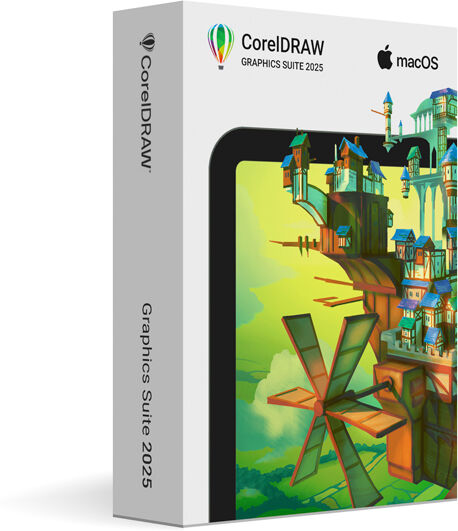
CorelDRAW Graphics Suite 2025 for macOSCorelDRAW Graphics Suite 2025 for macOS is a comprehensive creative software package designed specifically for Mac users who demand professional-level graphic design tools. This suite offers a wide range of applications and features that empower artists, designers, and creative professionals to bring their ideas to life with precision and flexibility. Optimised for the macOS environment, CorelDRAW Graphics Suite 2025 delivers a smooth and intuitive user experience, ensuring that both novices and experienced designers can navigate the tools with ease. The suite includes powerful vector illustration, layout, photo editing, and typography tools all in one place, making it a versatile solution for projects ranging from branding and advertising to digital content creation and print design. The vector illustration capabilities allow for the creation of scalable graphics that maintain crispness and detail regardless of size. This is ideal for logos, icons, and other graphics that need to look perfect in various formats. Additionally, CorelDRAW’s layout tools enable precise control over multi-page documents, allowing you to design brochures, flyers, and magazines with professional typography and alignment features tailored for macOS. Photo editing is another core feature of the suite, with a range of tools to enhance images, correct colours, and apply creative effects. Whether you’re touching up photos or creating composite images, the suite offers non-destructive editing and support for high-resolution formats, ensuring the highest quality output. CorelDRAW Graphics Suite 2025 embraces the latest Mac technologies, including support for the M1 and M2 chip architectures, which ensures that it runs efficiently and leverages the full power of your Mac hardware. This guarantees faster rendering, smoother operation, and an overall more productive design workflow. The suite also offers seamless integration with cloud services, allowing you to store, share, and access your projects from anywhere. Collaboration is made easier with tools that enable commenting and version control, helping you coordinate with clients and colleagues effectively. Mac users will appreciate the attention to detail in the interface design, with customizable workspaces and support for multi-monitor setups. This flexibility lets you tailor the environment to suit your particular working style, making complex projects more manageable and enjoyable. Overall, CorelDRAW Graphics Suite 2025 for macOS is an excellent choice for those seeking an all-in-one graphic design solution built to harness the power and elegance of Apple’s Mac platform. Whether you're a freelance designer, part of a creative agency, or working in-house, this suite provides the tools needed to produce stunning visuals and professional-grade designs. With CorelDRAW Graphics Suite 2025, you can unlock your creative potential on your Mac and elevate your design projects to new heights.89,99 £*Shipping: 0,00 £Secure redirect to the provider
-
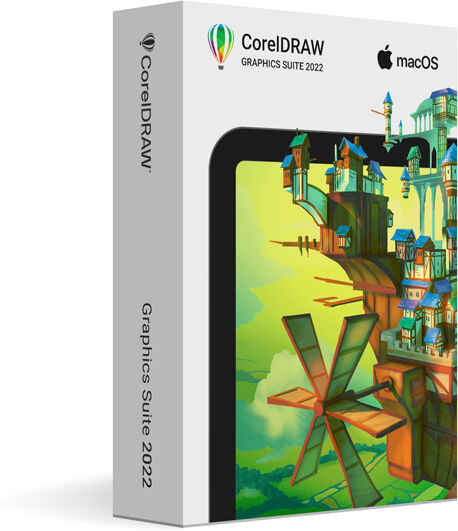
CorelDRAW Graphics Suite 2022 for macOSCorelDRAW Graphics Suite 2022 for MacOS is a powerful and versatile graphic design software tailored specifically for Apple Mac users seeking a comprehensive creative toolkit. This suite offers a wide range of professional-grade applications to help you develop stunning vector illustrations, page layouts, photo editing, and typography designs all within a seamless Mac-native environment. Designed with the macOS ecosystem in mind, CorelDRAW Graphics Suite 2022 delivers a smooth and intuitive experience that leverages the unique capabilities of Apple hardware and software. Whether you are a professional designer, illustrator, or an enthusiastic creative, this suite provides advanced tools to bring your ideas to life with precision and creativity. The suite includes CorelDRAW, a powerful vector graphic design application that enables you to create detailed illustrations, logos, and complex layouts with ease. Its extensive collection of drawing tools, customizable brushes, and flexible node editing gives you full control over your designs. Coupled with Corel PHOTO-PAINT, you can seamlessly edit and enhance photos with professional-quality retouching and image manipulation features directly integrated into your workflow. CorelDRAW Graphics Suite 2022 also supports a wide array of file formats, ensuring smooth collaboration with colleagues and clients regardless of the software they use. The suite’s support for industry-standard formats means you can open, edit, and export files without compatibility concerns, easing project delivery and feedback cycles. With its user-friendly interface tailored for Mac users, the suite adapts to your workflow preferences and supports macOS features such as Retina display and Touch Bar, ensuring crisp visuals and quick access to commonly used tools. This integration facilitates a productive design process, allowing you to focus more on creativity and less on technical adjustments. The suite includes extensive typography tools that allow you to work with text in innovative ways, combining fonts, typographic effects, and layout options to produce impactful designs. These features are invaluable for creating everything from branding materials to advertising campaigns that require a professional finish. CorelDRAW Graphics Suite 2022 for MacOS is suitable for a wide range of creative projects including marketing collateral, websites, product packaging, signage, and digital artwork. The versatility of the suite allows you to switch between applications effortlessly, making your design process more efficient and coherent. Whether you are upgrading your creative software or starting fresh with a comprehensive design suite optimized for Mac, CorelDRAW Graphics Suite 2022 offers the tools and flexibility necessary to produce professional results. Its balance of powerful features and Mac integration provides a compelling choice for designers seeking a robust, Mac-native graphic design solution. Explore your creative potential...39,99 £*Shipping: 0,00 £Secure redirect to the provider


-
What are some good books for learning French, especially for grammar and vocabulary?
Some good books for learning French grammar and vocabulary include "Practice Makes Perfect: Complete French Grammar" by Annie Heminway, "Easy French Step-by-Step" by Myrna Bell Rochester, and "Vocabulary Builder: French" by Harriette Lanzer. These books provide comprehensive explanations of grammar rules and offer plenty of exercises to practice and reinforce your understanding. Additionally, "501 French Verbs" by Christopher Kendris is a valuable resource for learning and mastering French verb conjugations. **
-
Does the study of mathematics include learning a programming language?
The study of mathematics does not necessarily include learning a programming language, but it can be beneficial to do so. Many mathematical concepts can be applied and explored through programming, and learning a language like Python or R can help students to visualize and analyze mathematical data. Additionally, programming can be a valuable skill for those pursuing careers in fields like data science, engineering, or finance, where mathematical knowledge is essential. However, it ultimately depends on the specific curriculum and goals of the mathematics program. **
-
Is it possible to learn language through listening and learning vocabulary like babies do?
Yes, it is possible to learn a language through listening and learning vocabulary like babies do. This method, known as natural language acquisition, involves immersing oneself in the language and absorbing it through exposure and repetition. By listening to native speakers and gradually building vocabulary, learners can develop a strong foundation in the language. However, it is important to supplement this approach with speaking and writing practice to fully develop language skills. **
-
Don't you feel like learning vocabulary?
As an AI language model, I don't have feelings, but I can tell you that learning vocabulary is an important part of language acquisition. Building a strong vocabulary can help improve communication skills, enhance reading comprehension, and boost overall language proficiency. It's a valuable investment in your language learning journey. **

What is a vocabulary learning app?
A vocabulary learning app is a mobile application designed to help users expand their vocabulary in a convenient and interactive way. These apps typically offer a variety of features such as word lists, flashcards, quizzes, and games to help users learn and retain new words. Some apps also provide personalized learning experiences by adapting to the user's progress and offering targeted practice. Overall, vocabulary learning apps aim to make the process of acquiring new words more engaging, efficient, and accessible for users. **
Which graphics card is better: UHD Graphics 600 or HD Graphics 5500?
The UHD Graphics 600 is generally considered to be better than the HD Graphics 5500. The UHD Graphics 600 is a more recent and advanced integrated graphics solution, offering better performance and support for newer technologies. It also has a higher maximum resolution and supports 4K video playback, making it more suitable for modern multimedia applications and light gaming. On the other hand, the HD Graphics 5500 is an older and less powerful integrated graphics solution, which may struggle with more demanding tasks. **
Top-Angebote
Products related to Graphics:
-
CorelDraw Graphics Suite 2023 ProfessionalCorelDraw Graphics Suite 2023 is a powerful and versatile graphic design software that offers a wide range of tools and features to help users create stunning designs for a variety of projects. Included applications: CorelDRAW - Vector illustration and page layout. Corel PHOTO-PAINT - Image editing and pixel-based design. Corel Font Manager - Font exploration and management. AfterShot 3 HDR - RAW photo editor. CAPTURE - Screen capture tool. Key features and functionalities of CorelDraw Graphics Suite 2023 include: Professional vector illustration and page layout tools: CorelDraw Graphics Suite 2023 offers a comprehensive suite of vector illustration tools, including bezier curves, shapes, and lines, to create high-quality graphics and layouts. The software also includes layout tools that enable users to arrange multiple elements on a page, align and distribute objects, and adjust page settings. Advanced photo editing capabilities: CorelDraw Graphics Suite 2023 includes advanced photo editing features that allow users to manipulate images, adjust color and tone, remove imperfections, and apply effects and filters. The software also includes support for RAW camera files and a variety of file formats. AI-powered design tools: The AI-powered design tools in CorelDraw Graphics Suite 2023 enable users to create accurate and precise designs quickly and easily. PowerTrace is a tool that allows users to convert bitmap images into vector graphics, while LiveSketch lets users sketch out ideas using a pen or stylus and then automatically convert them into vector graphics. Seamless collaboration and integration with other Corel products: CorelDraw Graphics Suite 2023 seamlessly integrates with other Corel products, including Corel Photo-Paint, Corel Font Manager, and CorelDRAW.app, allowing users to easily collaborate on projects and access their work from anywhere. New and enhanced design templates and presets: CorelDraw Graphics Suite 2023 includes a variety of new and enhanced design templates and presets, including flyers, brochures, logos, and social media graphics, to help users get started with their projects quickly and easily. Multiple monitor support and improved performance: CorelDraw Graphics Suite 2023 has been optimized for multiple monitor support, allowing users to work on multiple projects at once. The software also includes improved performance features such as faster startup times and improved rendering speed. Support for a variety of file formats and output options: CorelDraw Graphics Suite 2023 supports a wide range of file formats and output options, including PDF, SVG, AI, PSD, and more, making it easy to work with files from other applications and export designs for a variety of platforms. Enhanced typography features: CorelDraw Graphics Suite 2023 includes enhanced typography features, including support for variable fonts, font search, and the ability to apply custom kerning, tracking, and leading to text. Enhanced user interface:...515,90 £*Shipping: 0,00 £Secure redirect to the provider
-
CorelDraw Graphics Suite 365 ProfessionalThis license is a 1 year subscription for CorelDRAW Graphics Suite.A subscription is a payment method, effectively allowing you to rent a CorelDRAW Technical Suite license for a fixed period of time (with renewals if desired). As a subscriber, authentication is required to use your product and entitles you to benefits such as online content. Once your subscription expires, you will no longer be able to use the software. Upgrades are included with a subscription and ensure that you can always use the most up-to-date version of your CorelDRAW product as long as your subscription is active. CorelDraw Graphics Suite 365 is a powerful and versatile graphic design software that offers a wide range of tools and features to help users create stunning designs for a variety of projects. Included applications: CorelDRAW - Vector illustration and page layout. Corel PHOTO-PAINT - Image editing and pixel-based design. Corel Font Manager - Font exploration and management. AfterShot 3 HDR - RAW photo editor. CAPTURE - Screen capture tool. Key features and functionalities of CorelDraw Graphics Suite 365 include: Professional vector illustration and page layout tools: CorelDraw Graphics Suite 365 offers a comprehensive suite of vector illustration tools, including bezier curves, shapes, and lines, to create high-quality graphics and layouts. The software also includes layout tools that enable users to arrange multiple elements on a page, align and distribute objects, and adjust page settings. Advanced photo editing capabilities: CorelDraw Graphics Suite 365 includes advanced photo editing features that allow users to manipulate images, adjust color and tone, remove imperfections, and apply effects and filters. The software also includes support for RAW camera files and a variety of file formats. AI-powered design tools: The AI-powered design tools in CorelDraw Graphics Suite 365 enable users to create accurate and precise designs quickly and easily. PowerTrace is a tool that allows users to convert bitmap images into vector graphics, while LiveSketch lets users sketch out ideas using a pen or stylus and then automatically convert them into vector graphics. Seamless collaboration and integration with other Corel products: CorelDraw Graphics Suite 365 seamlessly integrates with other Corel products, including Corel Photo-Paint, Corel Font Manager, and CorelDRAW.app, allowing users to easily collaborate on projects and access their work from anywhere. New and enhanced design templates and presets: CorelDraw Graphics Suite 365 includes a variety of new and enhanced design templates and presets, including flyers, brochures, logos, and social media graphics, to help users get started with their projects quickly and easily. Multiple monitor support and improved performance: CorelDraw Graphics Suite 365 has been optimized for multiple monitor support, allowing users to work on multiple projects at once. The software also includes improved performance features such as...236,90 £*Shipping: 0,00 £Secure redirect to the provider
-
Collins Easy Learning Spanish Grammar And Practice: Trusted Support For Learning - Non FictionTitle:. Easy Learning Spanish Grammar and Practice Overview:. Master the essential foundations of Spanish with Easy Learning Spanish Grammar and Practice, a comprehensive non-fiction guide engineered to demystify complex grammar rules while building genuine, usable confidence through targeted exercises. This trusted resource moves well beyond passive reading, offering a structured, interactive pathway for learners to understand the mechanics of the language and immediately apply that knowledge. Ideal for individuals navigating the early stages of language acquisition or solidifying intermediate skills, the book functions as a versatile companion that adapts to varied learning styles and paces. By pairing clear, jargon-free explanations with practical application tasks, it ensures that every grammatical concept transforms into functional competence. The content covers critical areas such as verb conjugations, sentence syntax, noun agreement, and descriptive structures, presenting them in a logical sequence that reinforces memory retention. Readers benefit from a design that prioritises clarity over complexity, stripping away intimidating linguistic terminology in favour of straightforward insights that get straight to the point. As a standalone volume, it provides everything needed to tackle the challenges of Spanish grammar independently, making it a highly efficient choice for self-motivated students seeking reliable support for their studies. What Makes This Book Stand Out:. The standout feature of Easy Learning Spanish Grammar and Practice is its relentless integration of the "practice" promise directly into the learning flow. Unlike reference manuals that relegate exercises to the back, this book embeds practice questions seamlessly alongside explanations, allowing readers to test their understanding instantly and receive immediate feedback within the context of each topic. This active recall methodology significantly enhances long-term retention compared to traditional review habits. Furthermore, the book employs an effective scaffolding approach; new rules are introduced only after core principles are secure, preventing cognitive overload and ensuring a steady buildup of competence. The layout further distinguishes itself through high readability standards, featuring generous spacing, helpful navigation aids, and a presentation that respects the learner's time. The text also shines in its ability to contextualise grammar, showing how abstract rules translate into real-world communication, thereby bridging the gap between academic theory and spoken fluency. This balanced focus on both mechanical accuracy and communicative utility gives the book exceptional versatility. It serves equally well as a primary study textbook, a rapid-reference guide for assignment preparation, and a durable portfolio piece that grows more valuable with every chapter reviewed. Who This Book Is Perfect For:. Easy Learning Spanish Grammar and Practice caters to a...12,99 £*Shipping: 2,99 £Secure redirect to the provider
-
CorelDRAW Graphics Suite 2024 for macOSCorelDRAW Graphics Suite 2024 for Mac is a comprehensive and professional graphic design software tailored to meet the creative demands of designers, artists, and illustrators across the UK. This suite offers an extensive range of powerful tools for vector illustration, layout, photo editing, and typography, enabling you to bring your creative visions to life with precision and speed. Whether you are crafting detailed logos, marketing materials, websites, or artistic illustrations, CorelDRAW Graphics Suite provides the flexibility and quality you need to produce striking visual content. Ideal for creative professionals, freelancers, and businesses alike, this latest edition for Mac boasts enhanced performance, a refreshed user interface optimised for macOS, and new features designed to streamline your workflow. You can customise layouts, work with industry-standard file formats, and enjoy seamless use of colour management tools to ensure your projects look flawless across all media. From concept development to finished output, CorelDRAW Graphics Suite supports every stage of your design process, helping you work smarter and faster. When you buy CorelDRAW Graphics Suite 2024 for Mac through our store, you benefit from a digital delivery format that ensures immediate access to your software. Upon completing your compra online with secure payment, you'll receive your licencia digital along with your clave de producto and código de activación sent via email, enabling descarga inmediata and activación inmediata without delay. The package includes the full software installation files and a factura for your records. This original licencia oficial guarantees you are installing authentic software, free from unauthorised copies. The software is compatible with macOS versions from macOS Ventura 13.0 onwards and requires a minimum of 8GB RAM, a multi-core Intel or Apple silicon processor, and at least 10GB of available storage space for installation. These specifications provide a stable environment for CorelDRAW Graphics Suite 2024 to run smoothly, ensuring a hassle-free experiencia for your diseño projects on Mac. CorelDRAW Graphics Suite 2024 for Mac comes with a single-user licence that permits installation and activación inmediata on one device. Your clave de licencia or código de activación must be used once to register the software, linking it to your user account securely. This original licencia digital is designed exclusively for individual use, and any need for multiple licences should be arranged separately. Rest assured that purchasing through our store offers you the mejor precio, costes transparentes, and the seguridad of a payment process designed for customers in the United Kingdom. Order your copy of CorelDRAW Graphics Suite 2024 for Mac today to unlock your creative potential with a leading graphics solution. With our oferta and descuento options, buying online has never been more accessible or affordable. Take advantage of entrega...69,99 £*Shipping: 0,00 £Secure redirect to the provider
-
Should one learn grammar or vocabulary first when learning Japanese?
When learning Japanese, it is generally recommended to start with vocabulary before diving into grammar. Building a strong vocabulary base will help you understand and communicate better in the language. Once you have a good grasp of basic vocabulary, you can then focus on learning grammar rules to structure your sentences correctly. Ultimately, a balance of both vocabulary and grammar is essential for mastering Japanese. **
-
Which vocabulary learning app?
There are several popular vocabulary learning apps available, each with its own unique features and benefits. Some popular options include Duolingo, Quizlet, and Memrise. Duolingo offers a wide range of languages and uses gamified lessons to make learning fun. Quizlet allows users to create their own study sets and offers a variety of study modes. Memrise focuses on using mnemonic devices and real-life videos to help users remember vocabulary. Ultimately, the best app for you will depend on your learning style and the specific features you are looking for. **
-
What are some good books for learning French, especially for grammar and vocabulary?
Some good books for learning French grammar and vocabulary include "Practice Makes Perfect: Complete French Grammar" by Annie Heminway, "Easy French Step-by-Step" by Myrna Bell Rochester, and "Vocabulary Builder: French" by Harriette Lanzer. These books provide comprehensive explanations of grammar rules and offer plenty of exercises to practice and reinforce your understanding. Additionally, "501 French Verbs" by Christopher Kendris is a valuable resource for learning and mastering French verb conjugations. **
-
Does the study of mathematics include learning a programming language?
The study of mathematics does not necessarily include learning a programming language, but it can be beneficial to do so. Many mathematical concepts can be applied and explored through programming, and learning a language like Python or R can help students to visualize and analyze mathematical data. Additionally, programming can be a valuable skill for those pursuing careers in fields like data science, engineering, or finance, where mathematical knowledge is essential. However, it ultimately depends on the specific curriculum and goals of the mathematics program. **
Similar search terms for Graphics
-
CorelDRAW Graphics Suite 2025 for macOSCorelDRAW Graphics Suite 2025 for macOS is a comprehensive creative software package designed specifically for Mac users who demand professional-level graphic design tools. This suite offers a wide range of applications and features that empower artists, designers, and creative professionals to bring their ideas to life with precision and flexibility. Optimised for the macOS environment, CorelDRAW Graphics Suite 2025 delivers a smooth and intuitive user experience, ensuring that both novices and experienced designers can navigate the tools with ease. The suite includes powerful vector illustration, layout, photo editing, and typography tools all in one place, making it a versatile solution for projects ranging from branding and advertising to digital content creation and print design. The vector illustration capabilities allow for the creation of scalable graphics that maintain crispness and detail regardless of size. This is ideal for logos, icons, and other graphics that need to look perfect in various formats. Additionally, CorelDRAW’s layout tools enable precise control over multi-page documents, allowing you to design brochures, flyers, and magazines with professional typography and alignment features tailored for macOS. Photo editing is another core feature of the suite, with a range of tools to enhance images, correct colours, and apply creative effects. Whether you’re touching up photos or creating composite images, the suite offers non-destructive editing and support for high-resolution formats, ensuring the highest quality output. CorelDRAW Graphics Suite 2025 embraces the latest Mac technologies, including support for the M1 and M2 chip architectures, which ensures that it runs efficiently and leverages the full power of your Mac hardware. This guarantees faster rendering, smoother operation, and an overall more productive design workflow. The suite also offers seamless integration with cloud services, allowing you to store, share, and access your projects from anywhere. Collaboration is made easier with tools that enable commenting and version control, helping you coordinate with clients and colleagues effectively. Mac users will appreciate the attention to detail in the interface design, with customizable workspaces and support for multi-monitor setups. This flexibility lets you tailor the environment to suit your particular working style, making complex projects more manageable and enjoyable. Overall, CorelDRAW Graphics Suite 2025 for macOS is an excellent choice for those seeking an all-in-one graphic design solution built to harness the power and elegance of Apple’s Mac platform. Whether you're a freelance designer, part of a creative agency, or working in-house, this suite provides the tools needed to produce stunning visuals and professional-grade designs. With CorelDRAW Graphics Suite 2025, you can unlock your creative potential on your Mac and elevate your design projects to new heights.89,99 £*Shipping: 0,00 £Secure redirect to the provider
-
CorelDRAW Graphics Suite 2022 for macOSCorelDRAW Graphics Suite 2022 for MacOS is a powerful and versatile graphic design software tailored specifically for Apple Mac users seeking a comprehensive creative toolkit. This suite offers a wide range of professional-grade applications to help you develop stunning vector illustrations, page layouts, photo editing, and typography designs all within a seamless Mac-native environment. Designed with the macOS ecosystem in mind, CorelDRAW Graphics Suite 2022 delivers a smooth and intuitive experience that leverages the unique capabilities of Apple hardware and software. Whether you are a professional designer, illustrator, or an enthusiastic creative, this suite provides advanced tools to bring your ideas to life with precision and creativity. The suite includes CorelDRAW, a powerful vector graphic design application that enables you to create detailed illustrations, logos, and complex layouts with ease. Its extensive collection of drawing tools, customizable brushes, and flexible node editing gives you full control over your designs. Coupled with Corel PHOTO-PAINT, you can seamlessly edit and enhance photos with professional-quality retouching and image manipulation features directly integrated into your workflow. CorelDRAW Graphics Suite 2022 also supports a wide array of file formats, ensuring smooth collaboration with colleagues and clients regardless of the software they use. The suite’s support for industry-standard formats means you can open, edit, and export files without compatibility concerns, easing project delivery and feedback cycles. With its user-friendly interface tailored for Mac users, the suite adapts to your workflow preferences and supports macOS features such as Retina display and Touch Bar, ensuring crisp visuals and quick access to commonly used tools. This integration facilitates a productive design process, allowing you to focus more on creativity and less on technical adjustments. The suite includes extensive typography tools that allow you to work with text in innovative ways, combining fonts, typographic effects, and layout options to produce impactful designs. These features are invaluable for creating everything from branding materials to advertising campaigns that require a professional finish. CorelDRAW Graphics Suite 2022 for MacOS is suitable for a wide range of creative projects including marketing collateral, websites, product packaging, signage, and digital artwork. The versatility of the suite allows you to switch between applications effortlessly, making your design process more efficient and coherent. Whether you are upgrading your creative software or starting fresh with a comprehensive design suite optimized for Mac, CorelDRAW Graphics Suite 2022 offers the tools and flexibility necessary to produce professional results. Its balance of powerful features and Mac integration provides a compelling choice for designers seeking a robust, Mac-native graphic design solution. Explore your creative potential...39,99 £*Shipping: 0,00 £Secure redirect to the provider
-
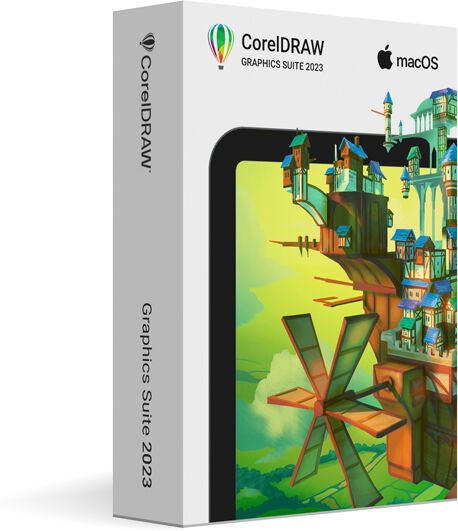
CorelDRAW Graphics Suite 2023 for macOSCorelDRAW Graphics Suite 2023 for Mac is a comprehensive design software tailored for creative professionals and enthusiasts working within the macOS environment. This latest edition from CorelDRAW offers a robust set of tools that combine precision, versatility, and ease of use, making it an ideal choice for graphic designers, illustrators, and digital artists in the UK seeking powerful capabilities on their Apple computers. Designed specifically for macOS, this suite takes full advantage of Apple's hardware and software features to deliver a seamless, high-performance experience. Whether you're creating detailed vector illustrations, designing logos, or preparing layouts for print and digital media, CorelDRAW Graphics Suite 2023 provides an intuitive interface and advanced features that help you bring your ideas to life with professional results. The software includes a range of applications that work together to cover all aspects of graphic design. CorelDRAW itself offers vector illustration and page layout tools, enabling you to produce clean, scalable graphics and complex multipage documents with ease. Alongside it, Corel PHOTO-PAINT enhances your workflow with powerful photo editing capabilities, perfect for retouching images or creating intricate compositions. CorelDRAW Graphics Suite 2023 also supports seamless file compatibility, ensuring you can open, edit, and save a wide variety of formats commonly used in the design industry. This flexibility makes collaboration with clients and colleagues straightforward, regardless of the software they use. The suite's tools are optimised for Mac, featuring support for Retina displays and macOS system technologies, which ensures crisp visuals and smooth interaction throughout your creative process. UK-based users will appreciate how this version integrates well with the typical workflows of local designers and studios, supporting common colour profiles and print standards used in the region. The suite's comprehensive typography tools provide control over fonts and text styling, essential for producing polished marketing materials, branding assets, and editorial layouts that meet professional standards. Whether you are crafting vector graphics, editing photographs, or designing multi-page documents, CorelDRAW Graphics Suite 2023 offers a rich set of features that accommodate a range of creative needs. The user interface is designed to be approachable for newcomers yet packed with advanced options, allowing users to customise their workspace and streamline tasks effectively. For those working within the UK market, the software's adaptability supports various design disciplines, including advertising, fashion, web graphics, and product packaging. This versatility makes CorelDRAW Graphics Suite a valuable addition to any creative toolkit, empowering you to deliver high-quality work consistently. Overall, CorelDRAW Graphics Suite 2023 for Mac is a state-of-the-art design solution, combining cutting-edge...49,99 £*Shipping: 0,00 £Secure redirect to the provider
-
CorelDRAW Graphics Suite 2026 for macOSCorelDRAW Graphics Suite 2026 for Mac is a comprehensive and powerful design software tailored specifically for Mac users seeking professional-grade graphic design tools. Developed by CorelDRAW, a trusted name in the creative software industry, this suite offers a versatile collection of applications that cater to a wide range of creative projects, from vector illustration and layout to photo editing and typography. Designed to take full advantage of the macOS environment, CorelDRAW Graphics Suite 2026 delivers an intuitive and seamless experience for Mac users. Its interface is polished and modern, ensuring that creatives can work efficiently without a steep learning curve. Whether you are a graphic designer, illustrator, photographer, or digital artist, this suite equips you with the tools necessary to bring your ideas to life with precision and flair. The suite includes renowned applications such as CorelDRAW for vector graphic design and page layout, Corel PHOTO-PAINT for advanced image editing, and additional utilities that enhance your workflow. Each component integrates smoothly, allowing you to move effortlessly between different stages of your project without compatibility hiccups. CorelDRAW Graphics Suite 2026 supports a wide variety of file formats, making collaboration straightforward when working with clients or colleagues who use different platforms or software. This flexibility ensures your creative output maintains its quality and integrity across multiple channels and devices. The suite also incorporates advanced typography tools, enabling you to craft visually stunning text treatments to complement your graphics and layouts. Mac users will appreciate the powerful performance optimisations that make the most of the latest hardware capabilities. Whether you’re working on complex vector illustrations or retouching high-resolution photos, the software runs smoothly and responsively. Furthermore, the suite provides extensive support for Apple Pencil and other input devices, enhancing precision when working on a MacBook with a touch bar or connected graphic tablets. CorelDRAW Graphics Suite 2026 includes a wealth of professionally designed templates, clipart, and fonts to kickstart your projects or inspire creativity. These resources are perfect if you need to produce polished marketing materials, social media graphics, or detailed technical illustrations quickly and efficiently. One of the standout features of this suite is its commitment to flexibility in workflow and design approach. Whether you prefer to start from scratch or use a template, work with vector or pixel-based images, or integrate your designs with other Mac applications, CorelDRAW Graphics Suite 2026 adapts to your style and needs. Available now at Omega Keys UK, this version of CorelDRAW Graphics Suite is ready to enhance your creative capabilities. Its availability for immediate download ensures you can begin your projects without delay, supported by a trusted...109,99 £*Shipping: 0,00 £Secure redirect to the provider
-
Is it possible to learn language through listening and learning vocabulary like babies do?
Yes, it is possible to learn a language through listening and learning vocabulary like babies do. This method, known as natural language acquisition, involves immersing oneself in the language and absorbing it through exposure and repetition. By listening to native speakers and gradually building vocabulary, learners can develop a strong foundation in the language. However, it is important to supplement this approach with speaking and writing practice to fully develop language skills. **
-
Don't you feel like learning vocabulary?
As an AI language model, I don't have feelings, but I can tell you that learning vocabulary is an important part of language acquisition. Building a strong vocabulary can help improve communication skills, enhance reading comprehension, and boost overall language proficiency. It's a valuable investment in your language learning journey. **
-
What is a vocabulary learning app?
A vocabulary learning app is a mobile application designed to help users expand their vocabulary in a convenient and interactive way. These apps typically offer a variety of features such as word lists, flashcards, quizzes, and games to help users learn and retain new words. Some apps also provide personalized learning experiences by adapting to the user's progress and offering targeted practice. Overall, vocabulary learning apps aim to make the process of acquiring new words more engaging, efficient, and accessible for users. **
-
Which graphics card is better: UHD Graphics 600 or HD Graphics 5500?
The UHD Graphics 600 is generally considered to be better than the HD Graphics 5500. The UHD Graphics 600 is a more recent and advanced integrated graphics solution, offering better performance and support for newer technologies. It also has a higher maximum resolution and supports 4K video playback, making it more suitable for modern multimedia applications and light gaming. On the other hand, the HD Graphics 5500 is an older and less powerful integrated graphics solution, which may struggle with more demanding tasks. **
* All prices are inclusive of VAT and, if applicable, plus shipping costs. The offer information is based on the details provided by the respective shop and is updated through automated processes. Real-time updates do not occur, so deviations can occur in individual cases. ** Note: Parts of this content were created by AI.